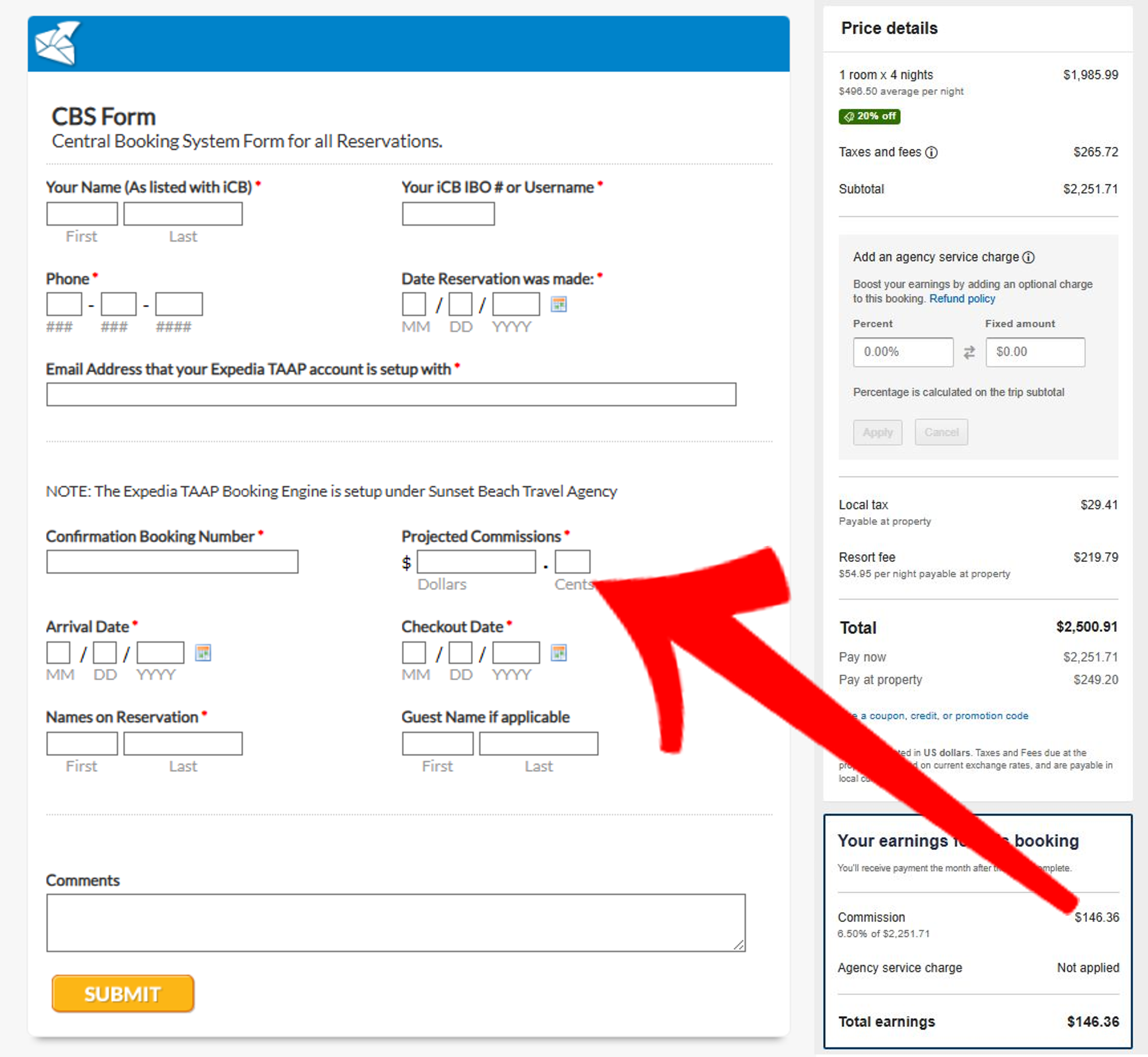
CBS stands for Central Booking System
Fill out the CBS FORM after EACH Booking for Tracking of Documents & Payment of Your Rebates.
If you do not fill out the CBS FORM YOU WILL NOT EARN REBATES on your reservation!
The link to the CBS Form is located on your Setup Booking Engine page.
This Electronic Form is considered the Rebate Claim Form that is used to notify us of a booking that you have made through the booking engine.
You will always need to fill out a CBS Form!!!
Once you submit the CBS Form an email
copy should be sent to your email inbox
(based on the email account we have in
your profile) and one copy is sent to us.
When Expedia pays us commissions we
search in our database system to match
the commissions received with the Personal
Travel Agent's CBS form.
And remember if you don't have your CBS
form filed before we get commissions there
will be no rebate issued.
You can find your IBO number by
clicking on the Cash Account link
under the EWALLET/COMMISIONS
section of your iClub BIZ back office.
Your IBO number is listed on the top
of the page.
You can find your username by clicking
on the Update Site Name link under the
WEBSITE INFORMATION section of
your iClub BIZ back office. (Make sure
you do not change your username)
You 'll get 90% of the Commissions that
we receive from your Expedia TAAP
Reservation rebated back to you in cash.
to go back to booking engine setup